> ## Documentation Index
> Fetch the complete documentation index at: https://docs.supadata.ai/llms.txt
> Use this file to discover all available pages before exploring further.
# Extract
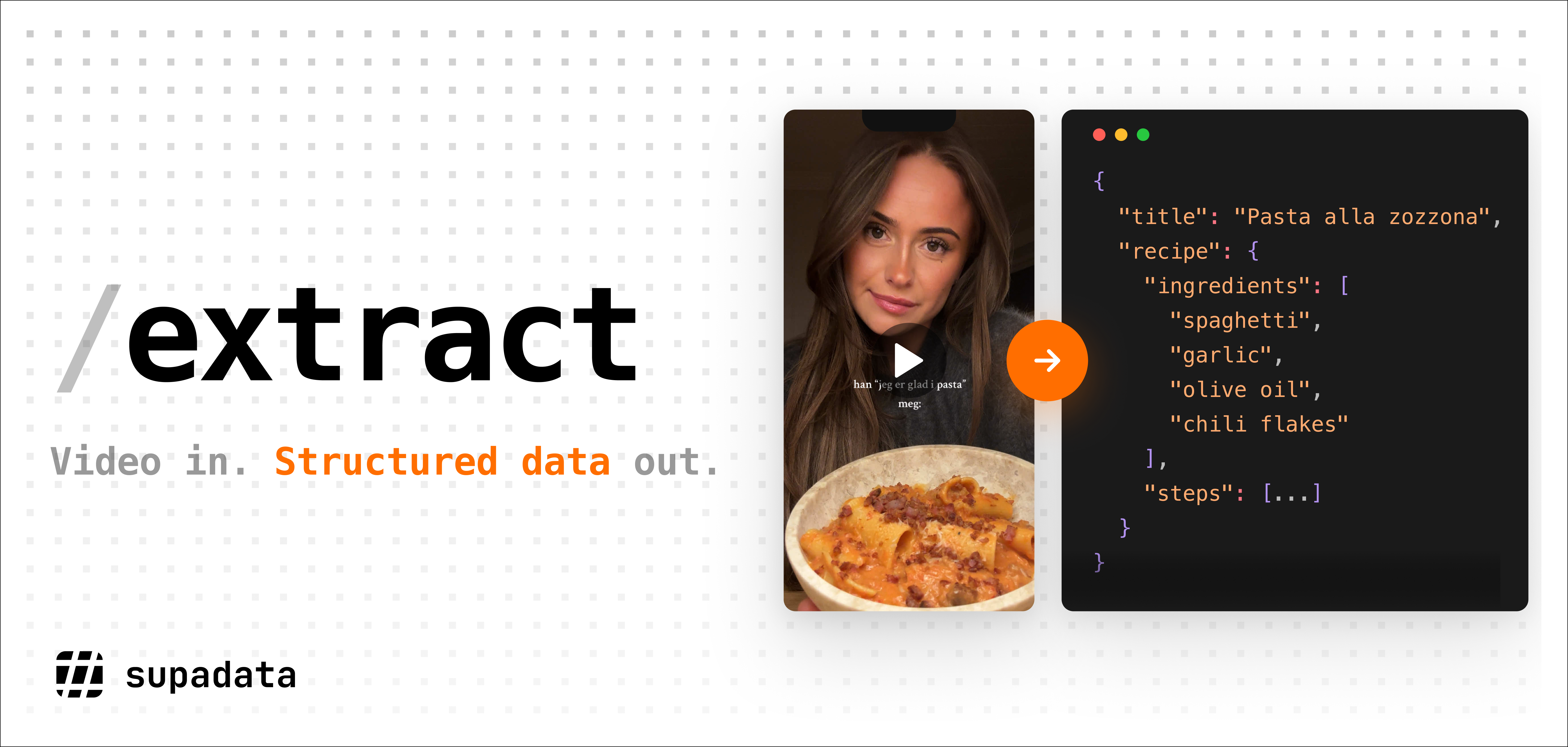
> Use this API endpoint to extract structured data from videos hosted on YouTube, TikTok, Instagram, X (Twitter), Facebook or a public file URL. Supadata uses AI to analyze the video and return data matching your prompt or schema.
This endpoint powers Supadata's [AI video analysis API](https://supadata.ai/video-analysis-api) — use AI to turn any supported video into structured JSON matching your own prompt or schema.
 ## Quick Start
### Request
```javascript Node.js theme={null} theme={null} theme={null} theme={null} theme={null} theme={null} theme={null}
import { Supadata } from '@supadata/js';
const supadata = new Supadata({
apiKey: 'YOUR_API_KEY',
});
// Start extract job
const job = await supadata.extract({
url: 'https://www.youtube.com/watch?v=dQw4w9WgXcQ',
prompt: 'How many times does a dog appear in this video? Describe each appearance.',
});
console.log(job.jobId);
```
```python Python theme={null} theme={null} theme={null} theme={null} theme={null} theme={null} theme={null}
from supadata import Supadata
supadata = Supadata(api_key="YOUR_API_KEY")
# Start extract job
job = supadata.extract(
url="https://www.youtube.com/watch?v=dQw4w9WgXcQ",
prompt="How many times does a dog appear in this video? Describe each appearance."
)
print(job.job_id)
```
```bash cURL theme={null} theme={null} theme={null} theme={null} theme={null} theme={null} theme={null}
curl -X POST "https://api.supadata.ai/v1/extract" \
-H "x-api-key: YOUR_API_KEY" \
-H "Content-Type: application/json" \
-d '{
"url": "https://www.youtube.com/watch?v=dQw4w9WgXcQ",
"prompt": "How many times does a dog appear in this video? Describe each appearance."
}'
```
### Response (HTTP 202)
```json theme={null}
{
"jobId": "123e4567-e89b-12d3-a456-426614174000"
}
```
The extract endpoint always returns a job ID for asynchronous processing. Use the job ID to [poll for results](#getting-job-results).
### Job Result
```json theme={null}
{
"status": "completed",
"data": {
"totalAppearances": 3,
"appearances": [
{ "timestamp": "0:12", "description": "Golden retriever runs across the park" },
{ "timestamp": "1:45", "description": "Same dog catches a frisbee mid-air" },
{ "timestamp": "3:20", "description": "Dog rolls over on the grass for belly rubs" }
]
},
"schema": {
"type": "object",
"properties": {
"totalAppearances": {
"type": "number"
},
"appearances": {
"type": "array",
"items": {
"type": "object",
"properties": {
"timestamp": { "type": "string" },
"description": { "type": "string" }
},
"required": ["timestamp", "description"]
}
}
},
"required": ["totalAppearances", "appearances"]
}
}
```
## Specification
### Endpoint
`POST https://api.supadata.ai/v1/extract`
Each request requires an `x-api-key` header with your API key available after signing up. Get your API key [here](https://dash.supadata.ai/organizations/api-key).
### Request Body
| Parameter | Type | Required | Description |
| --------- | ------ | -------- | ----------------------------------------------------------------------------------------------------------------------------- |
| url | string | Yes | URL of the video to extract data from. Must be either YouTube, TikTok, Instagram, X (Twitter), Facebook or a public file URL. |
| prompt | string | No | Description of what data to extract from the video. Required if `schema` is not provided. |
| schema | object | No | JSON Schema defining the structure of data to extract. Required if `prompt` is not provided. |
At least one of `prompt` or `schema` must be provided. You can also provide both for maximum control over the output.
The `/extract` endpoint uses AI to **analyze video content** (what is seen and heard in the video). It does not retrieve transcripts, titles, descriptions, or platform metrics. For those, use the dedicated [Transcript](/get-transcript) or [Metadata](/get-metadata) endpoints.
### Schema
The `schema` parameter accepts a [JSON Schema](https://json-schema.org/) object that defines the expected structure of the extracted data. This is useful for building pipelines that need consistent, predictable output formats.
#### How it works
* **Prompt only**: When only `prompt` is provided, the AI automatically generates a JSON Schema based on the prompt. The generated schema is returned in the `schema` field of the response, so you can reuse it for future requests to get consistent outputs.
With prompt-only mode, the response structure (key names, nesting, and types) may vary between calls since the AI generates the schema dynamically. To ensure a consistent output format across requests, provide an explicit `schema`.
* **Schema only**: When only `schema` is provided, the AI extracts data structured exactly according to the schema.
* **Both prompt and schema**: The schema defines the output structure, while the prompt guides what content to extract. This gives you maximum control over the extraction.
#### Example with schema
```json theme={null}
{
"url": "https://www.youtube.com/watch?v=dQw4w9WgXcQ",
"schema": {
"type": "object",
"properties": {
"totalAppearances": {
"type": "number",
"description": "Total number of times a dog appears"
},
"appearances": {
"type": "array",
"items": {
"type": "object",
"properties": {
"timestamp": { "type": "string", "description": "Timestamp of the appearance" },
"description": { "type": "string", "description": "What the dog is doing" }
},
"required": ["timestamp", "description"]
},
"description": "Each individual dog appearance"
}
},
"required": ["totalAppearances", "appearances"]
}
}
```
Start with just a `prompt` to let the AI generate a schema, then reuse the returned `schema` in subsequent requests for consistent outputs across multiple videos.
#### Schema Examples
Copy any of these schemas and use them directly in your requests.
Extract cooking recipes with ingredients, steps and nutritional info.
```json theme={null}
{
"type": "object",
"properties": {
"title": {
"type": "string",
"description": "Name of the dish"
},
"servings": {
"type": "number",
"description": "Number of servings"
},
"prepTimeMinutes": {
"type": "number",
"description": "Preparation time in minutes"
},
"cookTimeMinutes": {
"type": "number",
"description": "Cooking time in minutes"
},
"ingredients": {
"type": "array",
"items": {
"type": "object",
"properties": {
"name": { "type": "string" },
"quantity": { "type": "string" }
},
"required": ["name", "quantity"]
},
"description": "List of ingredients with quantities"
},
"steps": {
"type": "array",
"items": { "type": "string" },
"description": "Step-by-step cooking instructions"
}
},
"required": ["title", "ingredients", "steps"]
}
```
Extract timestamped chapters and sections from a video.
```json theme={null}
{
"type": "object",
"properties": {
"title": {
"type": "string",
"description": "Video title"
},
"chapters": {
"type": "array",
"items": {
"type": "object",
"properties": {
"title": {
"type": "string",
"description": "Chapter title"
},
"startTime": {
"type": "string",
"description": "Start timestamp (e.g. 0:00, 2:35, 1:02:15)"
},
"summary": {
"type": "string",
"description": "Brief summary of what is covered"
}
},
"required": ["title", "startTime", "summary"]
},
"description": "Ordered list of video chapters"
}
},
"required": ["title", "chapters"]
}
```
Extract main points, takeaways and action items from educational or business content.
```json theme={null}
{
"type": "object",
"properties": {
"topic": {
"type": "string",
"description": "Main topic of the video"
},
"summary": {
"type": "string",
"description": "One-paragraph summary"
},
"keyTakeaways": {
"type": "array",
"items": { "type": "string" },
"description": "Main points and insights"
},
"actionItems": {
"type": "array",
"items": { "type": "string" },
"description": "Concrete action items or next steps"
}
},
"required": ["topic", "summary", "keyTakeaways"]
}
```
Extract workout routines with exercises, sets, reps and rest periods.
```json theme={null}
{
"type": "object",
"properties": {
"routineName": {
"type": "string",
"description": "Name of the workout routine"
},
"difficulty": {
"type": "string",
"enum": ["beginner", "intermediate", "advanced"],
"description": "Difficulty level"
},
"durationMinutes": {
"type": "number",
"description": "Total workout duration in minutes"
},
"equipment": {
"type": "array",
"items": { "type": "string" },
"description": "Required equipment"
},
"exercises": {
"type": "array",
"items": {
"type": "object",
"properties": {
"name": { "type": "string" },
"sets": { "type": "number" },
"reps": { "type": "string", "description": "Reps or duration (e.g. '12' or '30 seconds')" },
"restSeconds": { "type": "number" }
},
"required": ["name"]
},
"description": "Ordered list of exercises"
}
},
"required": ["routineName", "exercises"]
}
```
Extract step-by-step repair or DIY instructions from tutorial videos.
```json theme={null}
{
"type": "object",
"properties": {
"title": {
"type": "string",
"description": "What is being repaired or built"
},
"difficultyLevel": {
"type": "string",
"enum": ["easy", "moderate", "hard"],
"description": "Difficulty level"
},
"estimatedTimeMinutes": {
"type": "number",
"description": "Estimated time to complete"
},
"toolsRequired": {
"type": "array",
"items": { "type": "string" },
"description": "Tools needed"
},
"partsRequired": {
"type": "array",
"items": {
"type": "object",
"properties": {
"name": { "type": "string" },
"quantity": { "type": "number" }
},
"required": ["name"]
},
"description": "Parts or materials needed"
},
"steps": {
"type": "array",
"items": {
"type": "object",
"properties": {
"step": { "type": "number" },
"instruction": { "type": "string" },
"warning": { "type": "string", "description": "Safety warning if applicable" }
},
"required": ["step", "instruction"]
},
"description": "Step-by-step instructions"
}
},
"required": ["title", "steps"]
}
```
Extract practical tips and life hacks from advice videos.
```json theme={null}
{
"type": "object",
"properties": {
"category": {
"type": "string",
"description": "Category of tips (e.g. productivity, cooking, cleaning)"
},
"tips": {
"type": "array",
"items": {
"type": "object",
"properties": {
"title": {
"type": "string",
"description": "Short title for the tip"
},
"description": {
"type": "string",
"description": "Detailed explanation of the tip"
},
"materialsNeeded": {
"type": "array",
"items": { "type": "string" },
"description": "Materials or items needed, if any"
}
},
"required": ["title", "description"]
},
"description": "List of tips or hacks"
}
},
"required": ["tips"]
}
```
Extract structured product review data from review videos.
```json theme={null}
{
"type": "object",
"properties": {
"productName": {
"type": "string",
"description": "Name of the product being reviewed"
},
"brand": {
"type": "string",
"description": "Brand or manufacturer"
},
"rating": {
"type": "number",
"description": "Overall rating out of 10"
},
"pros": {
"type": "array",
"items": { "type": "string" },
"description": "Positive aspects"
},
"cons": {
"type": "array",
"items": { "type": "string" },
"description": "Negative aspects"
},
"verdict": {
"type": "string",
"description": "Final verdict or recommendation"
}
},
"required": ["productName", "pros", "cons", "verdict"]
}
```
### Response Format
The API always returns HTTP 202 with a job ID for asynchronous processing.
```typescript theme={null}
{
"jobId": string // Job ID for checking results
}
```
### Getting Job Results
Poll for results using the job ID endpoint:
```javascript Node.js theme={null}
// Get job results
const result = await supadata.extract.getResults(job.jobId);
if (result.status === "completed") {
console.log(result.data);
} else if (result.status === "failed") {
console.error(result.error);
} else {
console.log("Job status:", result.status);
}
```
```python Python theme={null}
# Get job results
result = supadata.extract.get_results(job.job_id)
if result.status == "completed":
print(result.data)
elif result.status == "failed":
print(result.error)
else:
print(f"Job status: {result.status}")
```
```bash cURL theme={null} theme={null} theme={null} theme={null} theme={null} theme={null} theme={null}
curl -X GET "https://api.supadata.ai/v1/extract/123e4567-e89b-12d3-a456-426614174000" \
-H "x-api-key: YOUR_API_KEY"
```
#### Response
```json theme={null}
{
"status": "completed",
"data": {
"totalAppearances": 3,
"appearances": [
{ "timestamp": "0:12", "description": "Golden retriever runs across the park" },
{ "timestamp": "1:45", "description": "Same dog catches a frisbee mid-air" },
{ "timestamp": "3:20", "description": "Dog rolls over on the grass for belly rubs" }
]
},
"schema": {
"type": "object",
"properties": {
"totalAppearances": {
"type": "number"
},
"appearances": {
"type": "array",
"items": {
"type": "object",
"properties": {
"timestamp": { "type": "string" },
"description": { "type": "string" }
},
"required": ["timestamp", "description"]
}
}
},
"required": ["totalAppearances", "appearances"]
}
}
```
| Field | Type | Description |
| ------ | ------ | -------------------------------------------------------------------------------------------------- |
| status | string | Job status: `queued`, `active`, `completed`, or `failed` |
| data | object | Extracted data structured according to the schema. Only present when status is `completed`. |
| schema | object | JSON Schema used for extraction. Only present when no schema was provided in the original request. |
| error | object | Error details. Only present when status is `failed`. |
#### Job Status Values
| Status | Description |
| --------- | ----------------------------------------------- |
| queued | The job is in the queue waiting to be processed |
| active | The job is currently being processed |
| completed | The job has finished and results are available |
| failed | The job failed due to an error |
Poll the job status endpoint until the status is either "completed" or
"failed". The `data` field will contain the extracted data when status is
"completed", or the `error` field will contain error details when status is
"failed".
#### Polling Guidelines
* **Polling interval**: We recommend polling every 1 second
* **Job expiry**: Job results are available for **1 hour** after completion. After that, the endpoint will return a `404 Not Found` error. Make sure to retrieve and store results promptly after the job completes.
### Error Codes
The API returns HTTP status codes and error codes. See this [page](/errors) for more details.
### Supported URL Formats
`url` parameter supports the following:
* YouTube video URL, e.g. `https://www.youtube.com/watch?v=1234567890`
* TikTok video URL, e.g. `https://www.tiktok.com/@username/video/1234567890`
* X (Twitter) video URL, e.g. `https://x.com/username/status/1234567890`
* Instagram video URL, e.g. `https://instagram.com/reel/1234567890/`
* Facebook video URL, e.g.`https://www.facebook.com/reel/682865820350105/`
* Publicly accessible file URL, e.g. `https://bucket.s3.eu-north-1.amazonaws.com/file.mp4`
### Video Accessibility
Only publicly accessible videos can be processed. Videos that require authentication or have restricted access will return errors:
* **Login-required videos** - Videos that require signing in
* **Membership/subscriber-only videos** - Content behind paywalls
* **Private videos** - Videos not publicly listed
* **Age-restricted videos** - Content with age verification requirements
* **Heavily geoblocked videos** - Videos available only in specific countries
To verify if a video is accessible, try opening it in a browser incognito/private window without signing in. If you can watch the video, it can be processed.
If the video is not accessible, the API will return:
* `404 Not Found` - Video does not exist or is private
* `403 Forbidden` - Video requires authentication or is restricted
### File Support
When `url` is a file URL, the endpoint supports the following file formats:
* MP4
* WEBM
* MP3
* FLAC
* MPEG
* M4A
* OGG
* WAV
The maximum file size is 200 MB. Videos longer than 55 minutes are not supported.
## Latency
Extraction always involves AI processing and returns a job ID (HTTP 202) for asynchronous handling. Processing time is correlated with video duration - the longer the video, the longer the extraction takes.
Consider this latency when implementing time-outs and UX in your project. Always implement the asynchronous polling pattern to retrieve results.
## Pricing
* 1 extraction minute = 5 credits (minimum 5 credits per request)
No credits are charged for checking extraction job status.
## Quick Start
### Request
```javascript Node.js theme={null} theme={null} theme={null} theme={null} theme={null} theme={null} theme={null}
import { Supadata } from '@supadata/js';
const supadata = new Supadata({
apiKey: 'YOUR_API_KEY',
});
// Start extract job
const job = await supadata.extract({
url: 'https://www.youtube.com/watch?v=dQw4w9WgXcQ',
prompt: 'How many times does a dog appear in this video? Describe each appearance.',
});
console.log(job.jobId);
```
```python Python theme={null} theme={null} theme={null} theme={null} theme={null} theme={null} theme={null}
from supadata import Supadata
supadata = Supadata(api_key="YOUR_API_KEY")
# Start extract job
job = supadata.extract(
url="https://www.youtube.com/watch?v=dQw4w9WgXcQ",
prompt="How many times does a dog appear in this video? Describe each appearance."
)
print(job.job_id)
```
```bash cURL theme={null} theme={null} theme={null} theme={null} theme={null} theme={null} theme={null}
curl -X POST "https://api.supadata.ai/v1/extract" \
-H "x-api-key: YOUR_API_KEY" \
-H "Content-Type: application/json" \
-d '{
"url": "https://www.youtube.com/watch?v=dQw4w9WgXcQ",
"prompt": "How many times does a dog appear in this video? Describe each appearance."
}'
```
### Response (HTTP 202)
```json theme={null}
{
"jobId": "123e4567-e89b-12d3-a456-426614174000"
}
```
The extract endpoint always returns a job ID for asynchronous processing. Use the job ID to [poll for results](#getting-job-results).
### Job Result
```json theme={null}
{
"status": "completed",
"data": {
"totalAppearances": 3,
"appearances": [
{ "timestamp": "0:12", "description": "Golden retriever runs across the park" },
{ "timestamp": "1:45", "description": "Same dog catches a frisbee mid-air" },
{ "timestamp": "3:20", "description": "Dog rolls over on the grass for belly rubs" }
]
},
"schema": {
"type": "object",
"properties": {
"totalAppearances": {
"type": "number"
},
"appearances": {
"type": "array",
"items": {
"type": "object",
"properties": {
"timestamp": { "type": "string" },
"description": { "type": "string" }
},
"required": ["timestamp", "description"]
}
}
},
"required": ["totalAppearances", "appearances"]
}
}
```
## Specification
### Endpoint
`POST https://api.supadata.ai/v1/extract`
Each request requires an `x-api-key` header with your API key available after signing up. Get your API key [here](https://dash.supadata.ai/organizations/api-key).
### Request Body
| Parameter | Type | Required | Description |
| --------- | ------ | -------- | ----------------------------------------------------------------------------------------------------------------------------- |
| url | string | Yes | URL of the video to extract data from. Must be either YouTube, TikTok, Instagram, X (Twitter), Facebook or a public file URL. |
| prompt | string | No | Description of what data to extract from the video. Required if `schema` is not provided. |
| schema | object | No | JSON Schema defining the structure of data to extract. Required if `prompt` is not provided. |
At least one of `prompt` or `schema` must be provided. You can also provide both for maximum control over the output.
The `/extract` endpoint uses AI to **analyze video content** (what is seen and heard in the video). It does not retrieve transcripts, titles, descriptions, or platform metrics. For those, use the dedicated [Transcript](/get-transcript) or [Metadata](/get-metadata) endpoints.
### Schema
The `schema` parameter accepts a [JSON Schema](https://json-schema.org/) object that defines the expected structure of the extracted data. This is useful for building pipelines that need consistent, predictable output formats.
#### How it works
* **Prompt only**: When only `prompt` is provided, the AI automatically generates a JSON Schema based on the prompt. The generated schema is returned in the `schema` field of the response, so you can reuse it for future requests to get consistent outputs.
With prompt-only mode, the response structure (key names, nesting, and types) may vary between calls since the AI generates the schema dynamically. To ensure a consistent output format across requests, provide an explicit `schema`.
* **Schema only**: When only `schema` is provided, the AI extracts data structured exactly according to the schema.
* **Both prompt and schema**: The schema defines the output structure, while the prompt guides what content to extract. This gives you maximum control over the extraction.
#### Example with schema
```json theme={null}
{
"url": "https://www.youtube.com/watch?v=dQw4w9WgXcQ",
"schema": {
"type": "object",
"properties": {
"totalAppearances": {
"type": "number",
"description": "Total number of times a dog appears"
},
"appearances": {
"type": "array",
"items": {
"type": "object",
"properties": {
"timestamp": { "type": "string", "description": "Timestamp of the appearance" },
"description": { "type": "string", "description": "What the dog is doing" }
},
"required": ["timestamp", "description"]
},
"description": "Each individual dog appearance"
}
},
"required": ["totalAppearances", "appearances"]
}
}
```
Start with just a `prompt` to let the AI generate a schema, then reuse the returned `schema` in subsequent requests for consistent outputs across multiple videos.
#### Schema Examples
Copy any of these schemas and use them directly in your requests.
Extract cooking recipes with ingredients, steps and nutritional info.
```json theme={null}
{
"type": "object",
"properties": {
"title": {
"type": "string",
"description": "Name of the dish"
},
"servings": {
"type": "number",
"description": "Number of servings"
},
"prepTimeMinutes": {
"type": "number",
"description": "Preparation time in minutes"
},
"cookTimeMinutes": {
"type": "number",
"description": "Cooking time in minutes"
},
"ingredients": {
"type": "array",
"items": {
"type": "object",
"properties": {
"name": { "type": "string" },
"quantity": { "type": "string" }
},
"required": ["name", "quantity"]
},
"description": "List of ingredients with quantities"
},
"steps": {
"type": "array",
"items": { "type": "string" },
"description": "Step-by-step cooking instructions"
}
},
"required": ["title", "ingredients", "steps"]
}
```
Extract timestamped chapters and sections from a video.
```json theme={null}
{
"type": "object",
"properties": {
"title": {
"type": "string",
"description": "Video title"
},
"chapters": {
"type": "array",
"items": {
"type": "object",
"properties": {
"title": {
"type": "string",
"description": "Chapter title"
},
"startTime": {
"type": "string",
"description": "Start timestamp (e.g. 0:00, 2:35, 1:02:15)"
},
"summary": {
"type": "string",
"description": "Brief summary of what is covered"
}
},
"required": ["title", "startTime", "summary"]
},
"description": "Ordered list of video chapters"
}
},
"required": ["title", "chapters"]
}
```
Extract main points, takeaways and action items from educational or business content.
```json theme={null}
{
"type": "object",
"properties": {
"topic": {
"type": "string",
"description": "Main topic of the video"
},
"summary": {
"type": "string",
"description": "One-paragraph summary"
},
"keyTakeaways": {
"type": "array",
"items": { "type": "string" },
"description": "Main points and insights"
},
"actionItems": {
"type": "array",
"items": { "type": "string" },
"description": "Concrete action items or next steps"
}
},
"required": ["topic", "summary", "keyTakeaways"]
}
```
Extract workout routines with exercises, sets, reps and rest periods.
```json theme={null}
{
"type": "object",
"properties": {
"routineName": {
"type": "string",
"description": "Name of the workout routine"
},
"difficulty": {
"type": "string",
"enum": ["beginner", "intermediate", "advanced"],
"description": "Difficulty level"
},
"durationMinutes": {
"type": "number",
"description": "Total workout duration in minutes"
},
"equipment": {
"type": "array",
"items": { "type": "string" },
"description": "Required equipment"
},
"exercises": {
"type": "array",
"items": {
"type": "object",
"properties": {
"name": { "type": "string" },
"sets": { "type": "number" },
"reps": { "type": "string", "description": "Reps or duration (e.g. '12' or '30 seconds')" },
"restSeconds": { "type": "number" }
},
"required": ["name"]
},
"description": "Ordered list of exercises"
}
},
"required": ["routineName", "exercises"]
}
```
Extract step-by-step repair or DIY instructions from tutorial videos.
```json theme={null}
{
"type": "object",
"properties": {
"title": {
"type": "string",
"description": "What is being repaired or built"
},
"difficultyLevel": {
"type": "string",
"enum": ["easy", "moderate", "hard"],
"description": "Difficulty level"
},
"estimatedTimeMinutes": {
"type": "number",
"description": "Estimated time to complete"
},
"toolsRequired": {
"type": "array",
"items": { "type": "string" },
"description": "Tools needed"
},
"partsRequired": {
"type": "array",
"items": {
"type": "object",
"properties": {
"name": { "type": "string" },
"quantity": { "type": "number" }
},
"required": ["name"]
},
"description": "Parts or materials needed"
},
"steps": {
"type": "array",
"items": {
"type": "object",
"properties": {
"step": { "type": "number" },
"instruction": { "type": "string" },
"warning": { "type": "string", "description": "Safety warning if applicable" }
},
"required": ["step", "instruction"]
},
"description": "Step-by-step instructions"
}
},
"required": ["title", "steps"]
}
```
Extract practical tips and life hacks from advice videos.
```json theme={null}
{
"type": "object",
"properties": {
"category": {
"type": "string",
"description": "Category of tips (e.g. productivity, cooking, cleaning)"
},
"tips": {
"type": "array",
"items": {
"type": "object",
"properties": {
"title": {
"type": "string",
"description": "Short title for the tip"
},
"description": {
"type": "string",
"description": "Detailed explanation of the tip"
},
"materialsNeeded": {
"type": "array",
"items": { "type": "string" },
"description": "Materials or items needed, if any"
}
},
"required": ["title", "description"]
},
"description": "List of tips or hacks"
}
},
"required": ["tips"]
}
```
Extract structured product review data from review videos.
```json theme={null}
{
"type": "object",
"properties": {
"productName": {
"type": "string",
"description": "Name of the product being reviewed"
},
"brand": {
"type": "string",
"description": "Brand or manufacturer"
},
"rating": {
"type": "number",
"description": "Overall rating out of 10"
},
"pros": {
"type": "array",
"items": { "type": "string" },
"description": "Positive aspects"
},
"cons": {
"type": "array",
"items": { "type": "string" },
"description": "Negative aspects"
},
"verdict": {
"type": "string",
"description": "Final verdict or recommendation"
}
},
"required": ["productName", "pros", "cons", "verdict"]
}
```
### Response Format
The API always returns HTTP 202 with a job ID for asynchronous processing.
```typescript theme={null}
{
"jobId": string // Job ID for checking results
}
```
### Getting Job Results
Poll for results using the job ID endpoint:
```javascript Node.js theme={null}
// Get job results
const result = await supadata.extract.getResults(job.jobId);
if (result.status === "completed") {
console.log(result.data);
} else if (result.status === "failed") {
console.error(result.error);
} else {
console.log("Job status:", result.status);
}
```
```python Python theme={null}
# Get job results
result = supadata.extract.get_results(job.job_id)
if result.status == "completed":
print(result.data)
elif result.status == "failed":
print(result.error)
else:
print(f"Job status: {result.status}")
```
```bash cURL theme={null} theme={null} theme={null} theme={null} theme={null} theme={null} theme={null}
curl -X GET "https://api.supadata.ai/v1/extract/123e4567-e89b-12d3-a456-426614174000" \
-H "x-api-key: YOUR_API_KEY"
```
#### Response
```json theme={null}
{
"status": "completed",
"data": {
"totalAppearances": 3,
"appearances": [
{ "timestamp": "0:12", "description": "Golden retriever runs across the park" },
{ "timestamp": "1:45", "description": "Same dog catches a frisbee mid-air" },
{ "timestamp": "3:20", "description": "Dog rolls over on the grass for belly rubs" }
]
},
"schema": {
"type": "object",
"properties": {
"totalAppearances": {
"type": "number"
},
"appearances": {
"type": "array",
"items": {
"type": "object",
"properties": {
"timestamp": { "type": "string" },
"description": { "type": "string" }
},
"required": ["timestamp", "description"]
}
}
},
"required": ["totalAppearances", "appearances"]
}
}
```
| Field | Type | Description |
| ------ | ------ | -------------------------------------------------------------------------------------------------- |
| status | string | Job status: `queued`, `active`, `completed`, or `failed` |
| data | object | Extracted data structured according to the schema. Only present when status is `completed`. |
| schema | object | JSON Schema used for extraction. Only present when no schema was provided in the original request. |
| error | object | Error details. Only present when status is `failed`. |
#### Job Status Values
| Status | Description |
| --------- | ----------------------------------------------- |
| queued | The job is in the queue waiting to be processed |
| active | The job is currently being processed |
| completed | The job has finished and results are available |
| failed | The job failed due to an error |
Poll the job status endpoint until the status is either "completed" or
"failed". The `data` field will contain the extracted data when status is
"completed", or the `error` field will contain error details when status is
"failed".
#### Polling Guidelines
* **Polling interval**: We recommend polling every 1 second
* **Job expiry**: Job results are available for **1 hour** after completion. After that, the endpoint will return a `404 Not Found` error. Make sure to retrieve and store results promptly after the job completes.
### Error Codes
The API returns HTTP status codes and error codes. See this [page](/errors) for more details.
### Supported URL Formats
`url` parameter supports the following:
* YouTube video URL, e.g. `https://www.youtube.com/watch?v=1234567890`
* TikTok video URL, e.g. `https://www.tiktok.com/@username/video/1234567890`
* X (Twitter) video URL, e.g. `https://x.com/username/status/1234567890`
* Instagram video URL, e.g. `https://instagram.com/reel/1234567890/`
* Facebook video URL, e.g.`https://www.facebook.com/reel/682865820350105/`
* Publicly accessible file URL, e.g. `https://bucket.s3.eu-north-1.amazonaws.com/file.mp4`
### Video Accessibility
Only publicly accessible videos can be processed. Videos that require authentication or have restricted access will return errors:
* **Login-required videos** - Videos that require signing in
* **Membership/subscriber-only videos** - Content behind paywalls
* **Private videos** - Videos not publicly listed
* **Age-restricted videos** - Content with age verification requirements
* **Heavily geoblocked videos** - Videos available only in specific countries
To verify if a video is accessible, try opening it in a browser incognito/private window without signing in. If you can watch the video, it can be processed.
If the video is not accessible, the API will return:
* `404 Not Found` - Video does not exist or is private
* `403 Forbidden` - Video requires authentication or is restricted
### File Support
When `url` is a file URL, the endpoint supports the following file formats:
* MP4
* WEBM
* MP3
* FLAC
* MPEG
* M4A
* OGG
* WAV
The maximum file size is 200 MB. Videos longer than 55 minutes are not supported.
## Latency
Extraction always involves AI processing and returns a job ID (HTTP 202) for asynchronous handling. Processing time is correlated with video duration - the longer the video, the longer the extraction takes.
Consider this latency when implementing time-outs and UX in your project. Always implement the asynchronous polling pattern to retrieve results.
## Pricing
* 1 extraction minute = 5 credits (minimum 5 credits per request)
No credits are charged for checking extraction job status.